Zoho One for Professionals: The All-in-One Business Suite
Zoho One unifies 50+ business apps: CRM, finance, HR, and more into one platform. Discover how professionals use Zoho One to automate workflows and cut costs.

You don't need to run a Fortune 500 company to be a target. Cybercriminals follow the data, and independent professionals sit on a goldmine of it. Client tax records, coaching session notes, confidential business strategies: this information has real value, and attackers know it.
According to Total Assure (2025), 43% of all cyberattacks targeted small businesses. Ransomware alone hits SMBs in 88% of incidents (SCIRP). When an attack lands, the consequences are severe; 60% of small businesses that suffer a cyberattack close within six months (CIT, 2025).
The gap isn't awareness. Most independent professionals know the risk exists. The gap is access to protection that fits a one- to five-person practice: affordable, easy to manage, and effective without requiring an IT department.
That's precisely where Malwarebytes for Teams fits in.
Small practices operate lean. There's no dedicated IT staff, no security operations center, and often no formal cybersecurity policy. Attackers understand this. A bookkeeper with 80 clients' financial records stored locally is far easier to compromise than a large accounting firm with enterprise-grade defenses.
Darktrace's Annual Threat Report 2026 recorded a 135% surge in social engineering attacks comparing 2024 to 2025. These aren't brute-force intrusions, they are carefully crafted phishing emails, fake invoices, and scam calls designed to fool a busy professional who isn't watching for them.
The result? According to the Identity Theft Resource Center's 2025 Business Impact Report, 40% of small businesses have lost important client data due to a cyberattack.
Ransomware locks you out of your files until you pay a ransom. For a bookkeeper mid-tax season or a consultant days before a major client deliverable, even a few hours of downtime can be catastrophic. The Microsoft SMB Cybersecurity Report found that 42% of small businesses identify ransomware as one of their most significant security challenges. Recovery costs for small businesses range from $120,000 to $1.24 million per incident (SCIRP).
Phishing ranked as the top cybersecurity challenge for SMBs at 47%, according to the same Microsoft report. Scam texts, fake invoice emails, and fraudulent websites impersonating trusted platforms are increasingly sophisticated. One wrong click on a malicious link can hand over login credentials or install malware instantly.
Coaches meeting clients at coffee shops, consultants working from co-working spaces, bookkeepers accessing cloud accounting software on hotel Wi-Fi. These are all high-risk scenarios. Unencrypted public networks expose sensitive data to man-in-the-middle attacks, where a third party intercepts communications between a device and the internet.
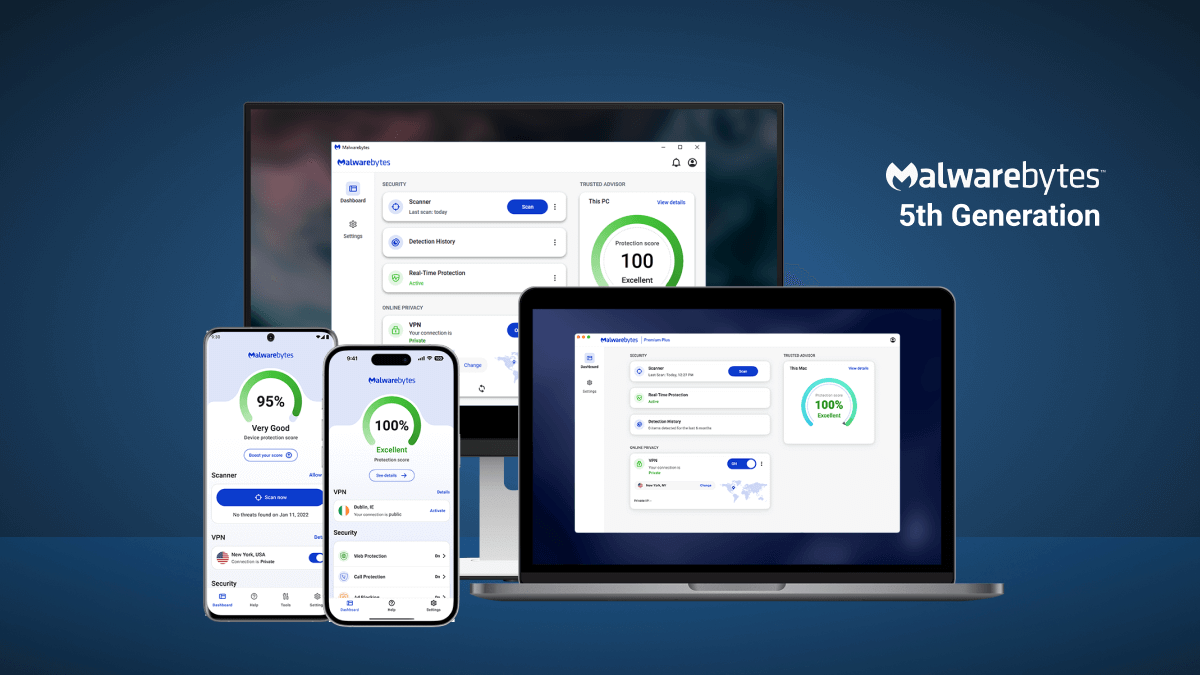
Malwarebytes for Teams is a cloud-managed endpoint security platform designed for businesses with 1 to 20 devices. It earned the Product of the Year 2025 award from independent testing organization MRG Effitas, reflecting consistent detection performance across malware, ransomware, and exploit categories.
Here is what the platform delivers for small practices:
Malwarebytes for Teams uses AI-powered, multi-layered detection to identify and block threats before they execute. This includes ransomware defense mechanisms specifically designed to stop file-encrypting attacks. The kind that could lock a bookkeeper out of every client record they own.
Browser Guard filters malicious websites, blocks phishing pages, and strips intrusive ads from web sessions. Scam and robocall filtering adds an additional layer for business owners who regularly receive unsolicited communications that may be attempting social engineering.
The built-in privacy VPN encrypts internet connections on public and unsecured networks. For consultants or coaches who regularly work outside their home office, this eliminates the risk that a compromised Wi-Fi network exposes client communications or login credentials.
Malwarebytes for Teams runs quietly in the background, requiring approximately one to two hours of monthly management for a typical small business deployment (iFeelTech, 2026). It does not slow down standard office hardware or disrupt workflow applications; critical for professionals who rely on their devices to bill time.
Built for independent practitioners operating on a single laptop, desktop, or mobile device; with a spare device or two covered. This plan bundles core antivirus, ransomware defense, scam filtering, and privacy VPN at approximately $49.99 per device annually.
Designed for small practices with team members, part-time contractors, or multiple office locations. This plan adds priority 24/7 support and centralized management via a cloud-based dashboard, allowing the practice owner to monitor all protected devices from a single interface, no IT background required.
Enterprise platforms like CrowdStrike or ThreatDown Elite offer capabilities far beyond what a five-person accounting practice needs, and charge accordingly. Malwarebytes for Teams strips away complexity without stripping away core protection. Deployment takes minutes per device. Ongoing management demands minimal time. Pricing is transparent and flat-rate. For independent professionals, this balance is not a compromise, it is the right fit.
The professionals most at risk are often those who assume they are too small to be noticed. The data says otherwise. Your client data has value. Your practice continuity has value. Protecting both does not require an enterprise budget or a dedicated IT team. It requires the right tool sized for your operation.
Malwarebytes for Teams was built for exactly this scenario. Real protection, minimal overhead, and plans that scale from a single consultant to a boutique office of 20.
[Get started with Malwarebytes for Teams →]
No. Malwarebytes for Teams is a "set and forget" endpoint security platform designed for users without IT backgrounds. Deployment typically takes minutes per device, and ongoing management averages one to two hours monthly. No specialized expertise is required to install, configure, or monitor the platform.
Yes. Malwarebytes for Teams supports cross-platform protection across Windows, macOS, iOS, and Android, including VPN functionality. This makes it practical for professionals who work from smartphones or tablets in addition to laptops.
Malwarebytes for Teams includes Browser Guard, which blocks phishing pages and malicious websites. However, email-based phishing protection at the inbox level requires a complementary email security solution. Browser Guard intercepts threats at the point of clicking a malicious link, stopping the attack before the page loads.
The Malwarebytes for Teams plan includes ransomware defense mechanisms to prevent encryption attacks. For businesses that want recovery capabilities in addition to prevention, ThreatDown Advanced, a higher-tier Malwarebytes product, adds 7-day ransomware rollback, allowing file restoration to a pre-attack state. Independent professionals with high data sensitivity may want to evaluate this upgrade.
A sole proprietor with a work laptop, a home desktop, and a mobile phone would be fully covered under the 3-device Sole Proprietor plan. Practices with part-time staff, a receptionist, or multiple workstations should consider the Boutique or Small Office plans covering 10 to 20 devices.