.jpg)
Zoho Vault vs Keeper
Zoho Vault or Keeper Security? Compare pricing, features, and security to find the right password manager for your business. Read our expert guide.

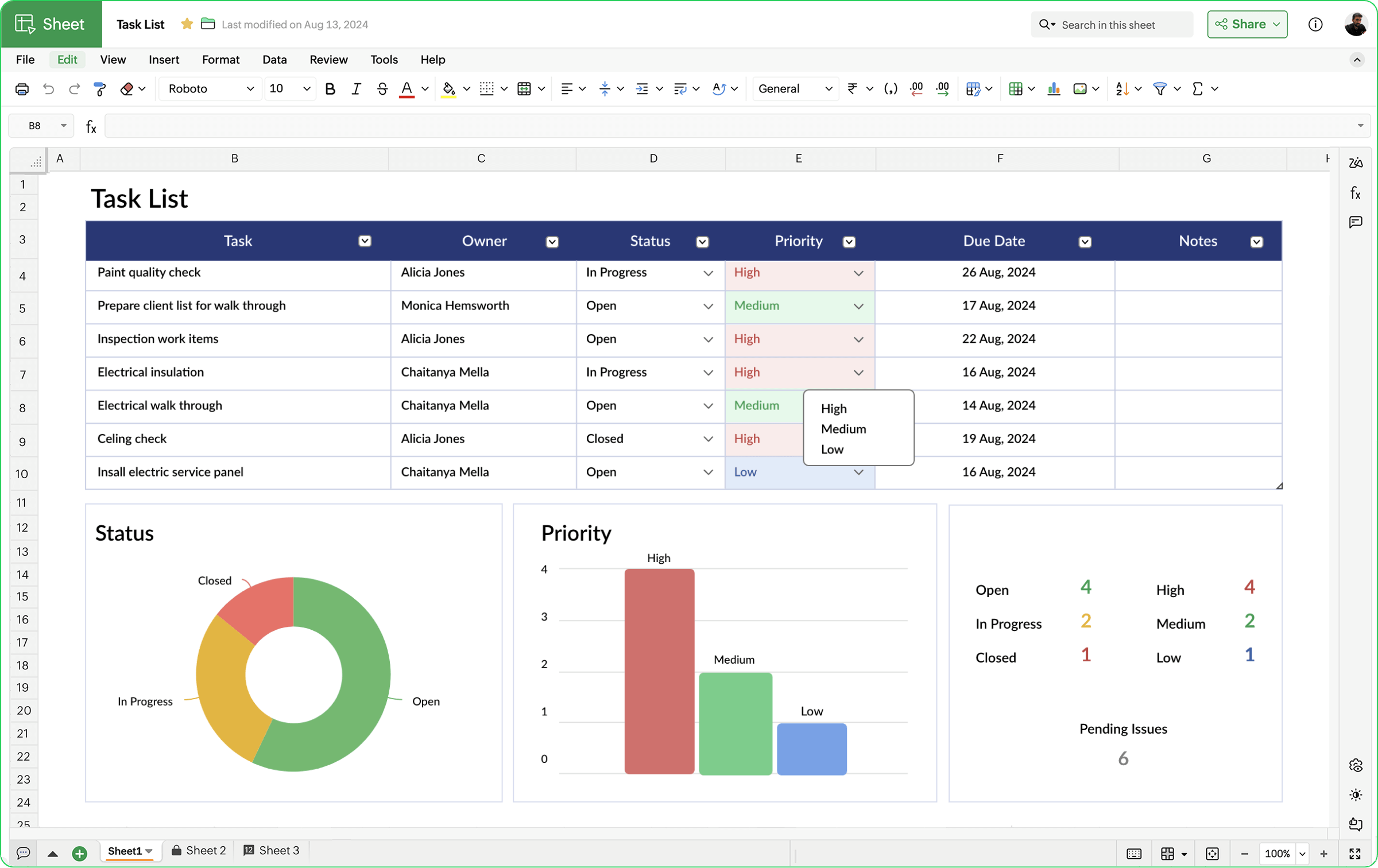
Spreadsheets are the backbone of professional data work. From tracking budgets to managing pipelines, nearly every business function runs through one at some point. The question isn't whether you need a spreadsheet tool, it's which one is worth your time.
Zoho Sheet has quietly built a reputation as one of the most capable cloud-based spreadsheet platforms available, and for good reason. It doesn't just replicate what Excel does, it improves on collaboration, adds AI-driven data tools, and removes cost as a barrier entirely for individual users.
This guide breaks down everything professionals need to know about Zoho Sheet: what it does well, where it fits into your workflow, how it stacks up against Microsoft Excel, and whether it's the right tool for your team.
Collaboration is where Zoho Sheet genuinely outpaces desktop-first tools. Multiple team members can co-edit spreadsheets simultaneously, with changes reflected instantly across every device. There's no emailing files back and forth. No "who has the latest version?" confusion.
Within any spreadsheet, users can:
It's built for teams from the ground up; not retrofitted with collaboration features after the fact.
With multiple people editing simultaneously, data integrity becomes a real concern. Zoho Sheet addresses this directly. Administrators can lock specific cells, ranges, or entire sheets for individual collaborators, preventing unintended edits while still allowing others to work freely.
Every change is logged in the Audit Trail, which lets you filter the changelog by date, user, or specific cell range. Version History automatically backs up older iterations of your file, so you can restore a previous version at any time. These are enterprise-grade controls available at no cost for individual users.
Zoho Sheet's AI capabilities have expanded significantly. Rather than offering a single assistant, Zoho Sheet layers several AI-powered tools throughout the platform.
Zia is Zoho's built-in AI analyst. In Zoho Sheet, Zia examines your data and generates charts, pivot tables, and insights in a single click. You can ask Zia data-related questions in plain English, or even by voice query on mobile, and receive immediate, readable answers without writing a single formula.
With OpenAI integration, Zia can also generate complex formulas and macros on your behalf. Describe what you need in plain language, and Zia builds it. This dramatically lowers the technical barrier for professionals who work with data but don't consider themselves spreadsheet power users.
Released in April 2025, three new AI-powered features extend Zoho Sheet's capabilities even further:
The Data Connection feature lets you sync live data from Zoho CRM, Zoho Books, Zoho Projects, and other external services directly into your spreadsheet. Combine that with Merge Template, which links source files and customizes data presentation for bulk records, and Zoho Sheet becomes more than a standalone tool, it becomes a dynamic data hub for your business.
Yes, fully. Zoho Sheet supports import and export of .xlsx, .xls, CSV, TSV, and ODS formats. Formulas, formatting, pivot tables, charts, and data validations all carry over smoothly.
If your team or clients still work in Excel, this compatibility means Zoho Sheet can slot into existing workflows without disruption. You can even run macros using Zoho's scripting language (Deluge) or work with VBA-style automation for recurring tasks.
Zoho Sheet is purpose-built for cross-functional professional work. Here's how it maps to common business functions:
Zoho Sheet is completely free for individual use. There are no trial limits, no hidden fees, and no feature restrictions on the standalone platform.
For teams that want Zoho Sheet within a broader integrated workspace, Zoho One bundles over 50 business tools, including premium Sheet features, for $45 per month. That pricing structure makes it one of the most cost-competitive productivity suites available for small to mid-sized businesses.
The honest answer: it depends on what you're optimizing for.
Choose Zoho Sheet if:
Stick with Microsoft Excel if:
Neither tool is universally superior. For collaboration-first, cost-conscious professional teams, Zoho Sheet delivers exceptional value. For heavy-duty analytical work at scale, Excel remains the industry benchmark.
Ready to replace spreadsheet frustration with speed and simplicity? Zoho Sheet gives you professional-grade data tools, real-time collaboration, and AI-powered insights, completely free.
Try Zoho Sheet for Free →

.jpg)